Photo slideshow maker with music · Mac & Windows
Their story, told in photos and song.
Porchlight Slideshow makes a beautiful slideshow for a memorial or celebration of life, a wedding or anniversary, a milestone birthday, a graduation or a reunion. Drag in the photos, add the songs they loved, and it plays full screen on any TV or projector, straight from a USB stick.
Free to download and try · $39 once to share your slideshow · No account, no subscription
How it works
Ready in an evening, not a weekend
No video editing, no timelines. Porchlight does the timing for you.
Drag in the photos
From your computer or the Photos app. Sort them by the date they were taken with one click, or arrange them by hand.
Add the music
Add their favorite songs. Porchlight fits the photos to the music, so the last photo fades out as the last note ends.
Play it anywhere
Put it on a USB stick with the free Player, or save it as a video. It plays full screen on any Mac or PC, TV or projector.
For every occasion
A slideshow for every chapter of life
From a first birthday to a farewell. Plans, tips and music ideas for each:
A look inside
Everything on one calm screen
Your photos in order, the music above them, and the timing worked out for you.
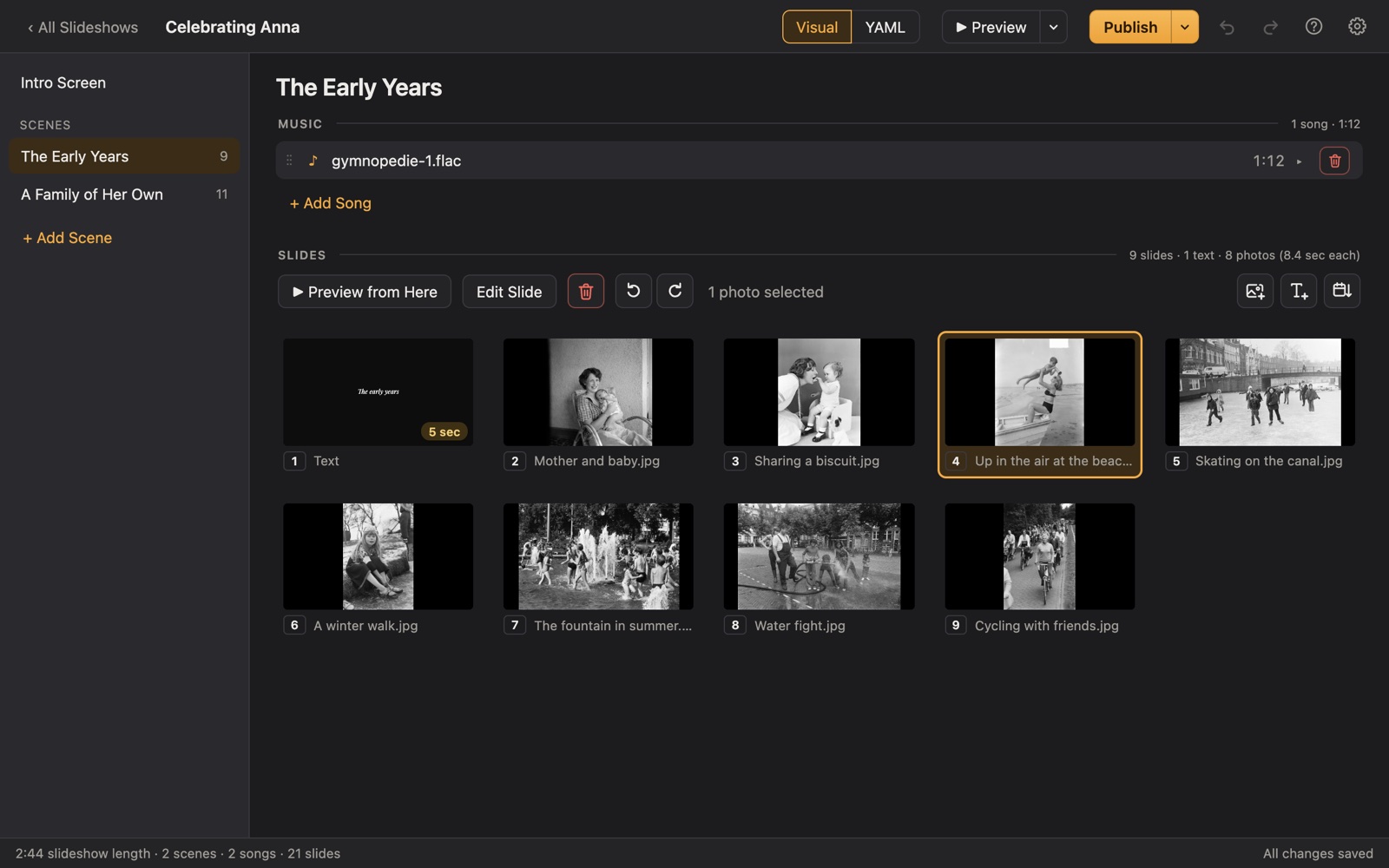
Features
Everything a tribute needs, nothing it doesn't
Words on screen
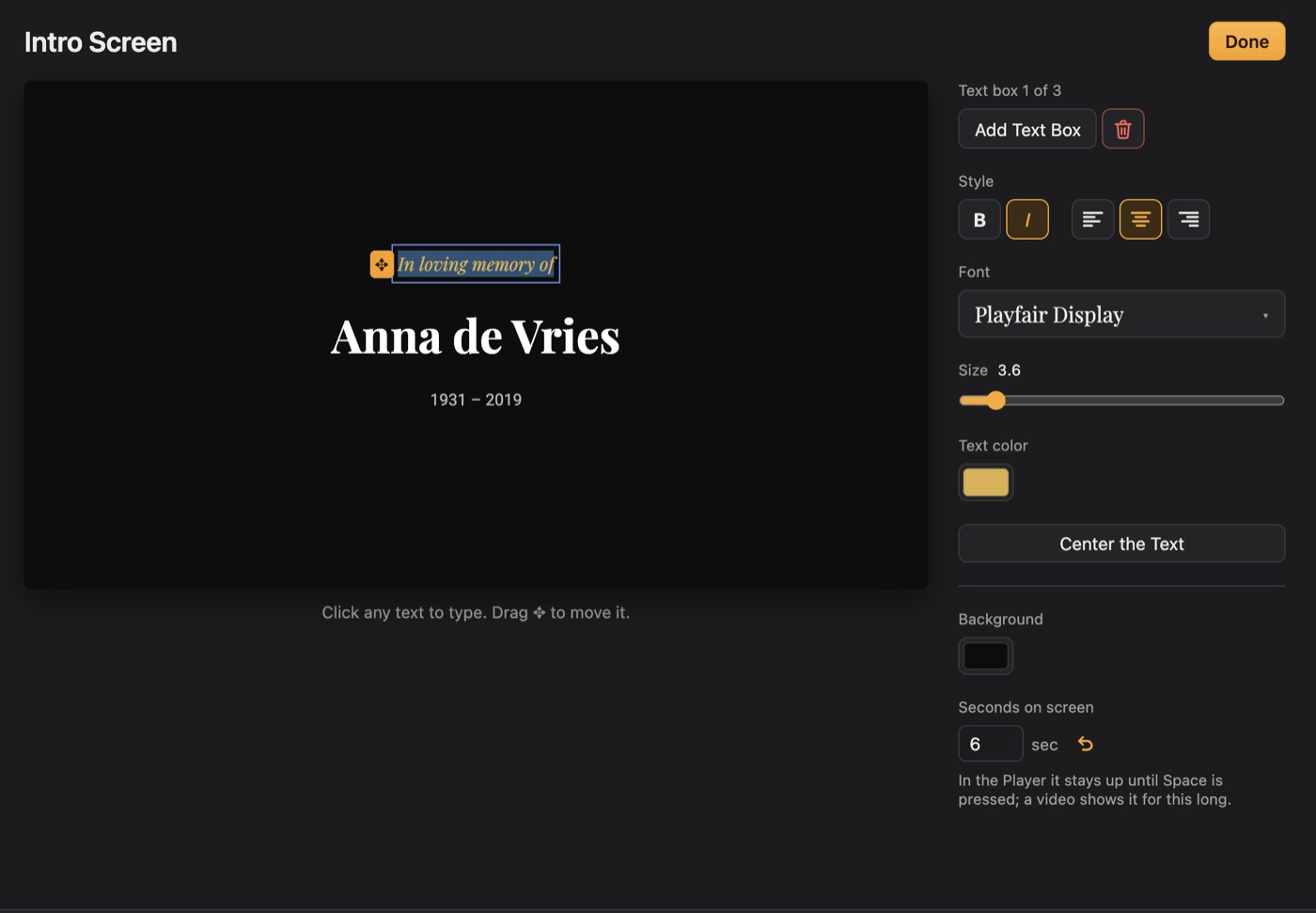
Titles, poems and names in elegant fonts, placed wherever you like.
Music that flows
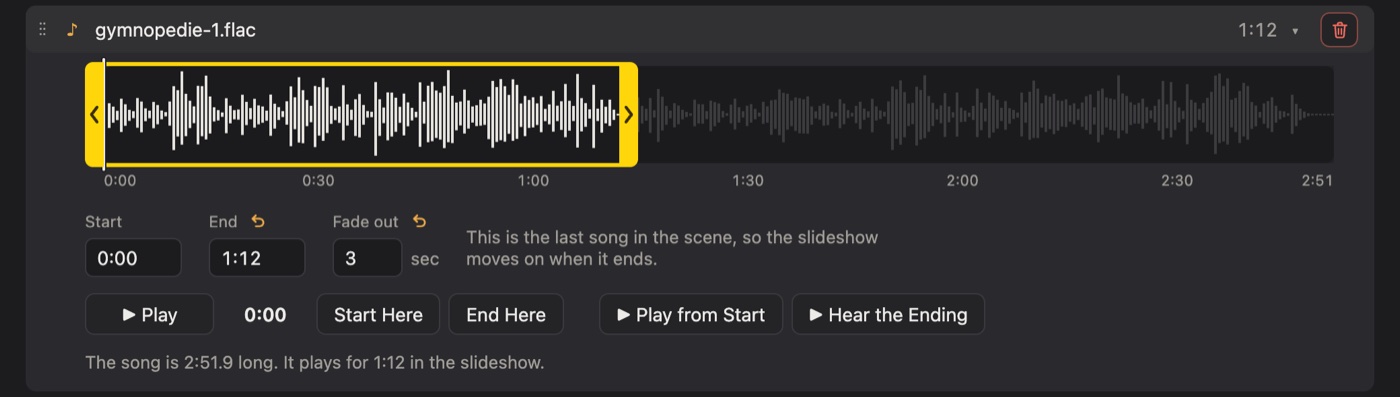
Trim songs to the part you want, and let them blend gently into each other.
Chapters of a life
Split the show into scenes, each with its own music: growing up, family, later years.
In the order they happened
Photos from phones and cameras sort by the day they were taken. See where each was taken, too.
Save it as a video
Export in HD or 4K to play on a smart TV, send to family, or share online.
Made for the big screen
Opens on the projector or TV automatically. Press Tab to move it to another screen.
Plays anywhere
Hand it over on a USB stick
Publishing puts the slideshow and the free Porchlight Player side by side. At the funeral home, church or hall, open the stick and double-click. Nothing to install, no internet needed.
- ✓Mac and WindowsInclude the Player for either, or both.
- ✓Starts where it shouldIt waits on the opening title until you press Space.
- ✓Or a single video fileFor TVs, tablets and family far away.
Your photos stay yours
Porchlight works entirely on your own computer. Nothing is uploaded, there's no account to make, and it works without the internet. The only copies of your family's photos are the ones you choose to make.
Pricing
Try it free. Pay once, when it's ready to share.
No subscription. The Player is always free for everyone who watches.
Free
Build and preview a slideshow
- Photos, text slides and fonts
- Preview it full screen
- Sort photos by date
- 1 scene, 2 songs, up to 99 slides
- Songs play whole (no trimming)
- No publishing or video export
Porchlight Slideshow
Everything, on up to [3] of your computers
- Unlimited photos, songs and scenes
- Trim and blend songs
- Choose how long any photo stays up
- Publish to a USB stick or zip file
- Export video in HD and 4K
- Photo locations and map links
- Free updates for version 1
Questions
Good to know
Do the people watching need to buy anything?
No. Porchlight Player is free, and it goes on the USB stick with the slideshow. Anyone can play it on a Mac or a Windows PC without installing anything.
How long does it take?
Most people finish a slideshow of a hundred or so photos in an evening. Porchlight works out the timing for you, so there's no editing timeline to fiddle with.
Can I use photos from my phone?
Yes. Drag them from the Photos app or any folder. Photos from phones and cameras can be sorted by the date they were taken.
Can I use any song?
You can use MP3, WAV and FLAC files you have. Playing music at a private service is usually fine; if you plan to post the video online, check that you have the rights to the song.
Does it need the internet?
No. Everything happens on your computer, which also means your photos are never uploaded anywhere.
What do I need to run it?
[A Mac with macOS 11 or later (Apple silicon or Intel), or a PC with Windows 10 or 11.]
What if it doesn't work for me?
Write to us within [30] days of buying and we'll refund you. [support email]